Asynchronous Process
In keeping with the design principle of openness, RT-LAB features can be extended through the use of Asynchronous User Applications also called Asynchronous Processes. This gives RT-LAB users access to the full power of the operating system and allow them to implement their own interfaces to various external devices. Although usually targeted for use with communication devices such as GPS receivers and power monitors, Asynchronous User Applications can be developed to interface acquisition boards, or implement system-specific software such as file management, etc.
(From RT-LAB user documentation)
They are used to exchange data between RT-LAB Simulink models and custom user-defined programs via shared memory on a real-time target.
The opal.async node-type is deprecated for the following reasons.
Please consider the more actively supported opal.orchestra node-type instead!
- The OPAL-RT HYPERSIM simulation environment is not supported.
- Older targets running RHEL / CentOS operating systems are not supported.
- Due to the shared-memory communication remote execution of VILLASnode is not supported.
- Communication between VILLASnode and the RT-LAB model is asynchronous. Its not possible to block the execution of the RT-LAB model until new data is available.
- Asynchronous processes are integrated via legacy S-function IO blocks into the RT-LAB model. Modern RT-LAB & HYPERSIM use a new system for I/O configuration and connections management.
Prerequisites
This node-types requires a running version of VILLASnode on an OPAL-RT target:
- An OPAL-RT real-time simulator.
- 64-bit OPAL-RT Linux v3.4.1 or newer.
- RT-LAB v2023.1 or newer.
Implementation
The source code of the node-type is available here: https://github.com/VILLASframework/node/blob/master/lib/nodes/opal_async.cpp
Installation
VILLASnode provides a dedicated Simulink library (VILLASnode.slx) to run VILLASnode in parallel to an RT-LAB model.
This library includes blocks to manage the configuration of VILLASnode and its lifecycle.
We have prepared an example RT-LAB project which uses this library and includes a little example to demonstrate its usage.
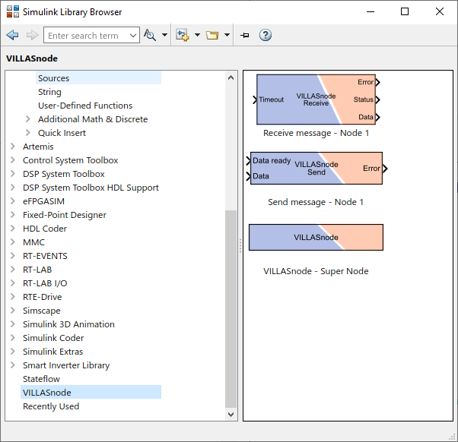
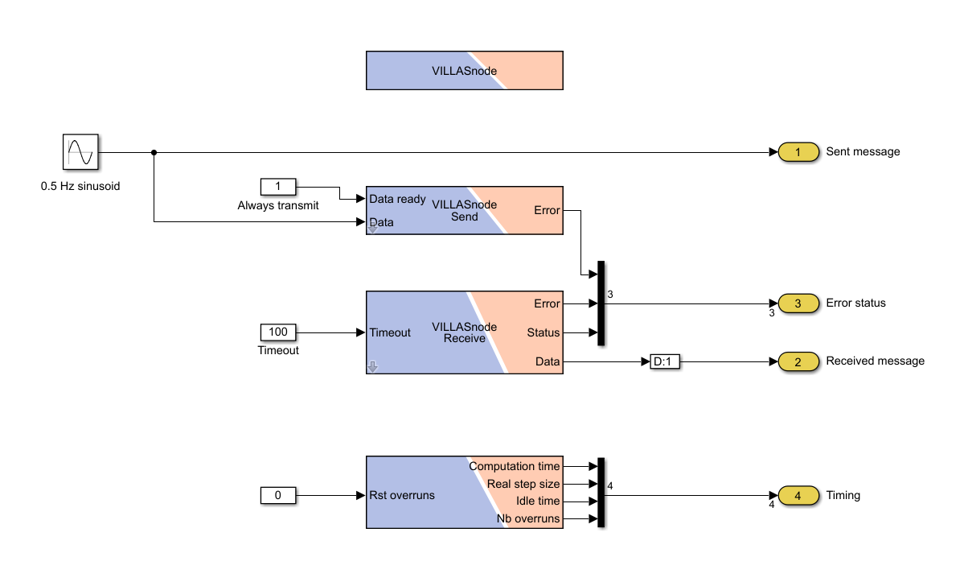
You can find the RT-LAB project as well as the Simulink library in the following location: https://github.com/VILLASframework/node/tree/master/clients/opal/rtlab
Configuration
When using the VILLASnode Simulink block, you can open and edit the VILLASnode configuration via your RT-LAB workstation:
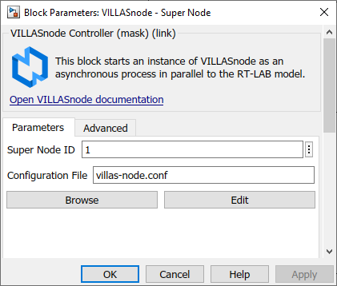
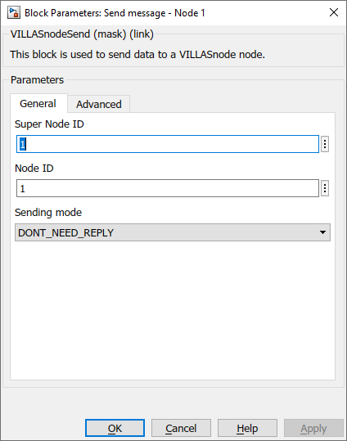
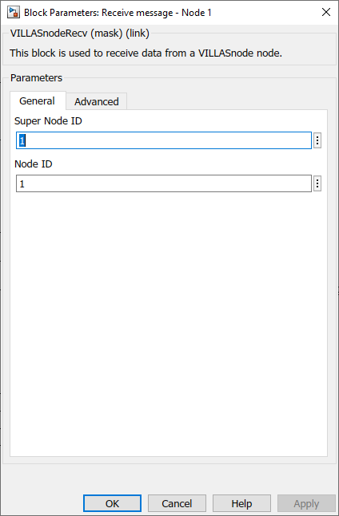
During model load the configuration file will be loaded to the target and used by the VILLASnode asynchronous process.
Reference
Example
# Author: Steffen Vogel <steffen.vogel@opal-rt.com>

nodes = {
    opal_async_node1 = {
        type = "opal.async"

        # The Send/Recv ID of the RT-Lab OpAsyncSend/Recv blocks.
        id = 1

        in = {
            # Send a confirmation to the Simulink model that signals have been received and processed.
            reply = false

            hooks = (
                "stats"
            )
        }
    }
}