Lab 15: Working with EtherCAT
EtherCAT is one of the nodes communicating in the network with the VILLAS node gateway. EhterCAT uses Ethernet wiring but has a specialized protocol which enables high synchronization between nodes. EtherCAT is based on a Master-Slave configuration. Contrary to the standard Ethernet, the frames in EtherCAT are processed on the fly which requires use of specific hardware integrated in the Slaves. In VILLAS we use Beckhoff automation technology.
Etherlab technology is used to combine the software and hardware parts to get the communication running. IgH EtherCAT Master by Etherlab acts as the real time kernel module loaded within the Linux Operating System.
More information about Etherlab can be found in the link below:
https://www.etherlab.org/en/what.php
Hardware Setup
This lab requires the following EtherCAT hardware from Beckhoff:
- EK1100 EtherCAT Coupler (2A E-Bus)
- EL4038 8 Channel Analog Output +/-10V, 12bit
- EL3008 8 Channel Analog Input +/-10V
All EtherCAT slaves are connected to the same bus coupler. All channels of the analog outputs are looped backed to their respective analog input channel:


Command Line Tools
The IgH EtherCAT Master also provides command-line tools for the users to get information about the configuration, Slaves, Process Data Objects (PDOs) and Service Data Objects (SDOs) of the devices connected on EtherCAT chain. In this Lab we will experiment with some of the command line utilities shipped with the IgH EtherCAT master.
/usr/local/bin/ethercat master
The following command can be used to find out the number of slaves in the EtherCAT chain:
/usr/local/bin/ethercat slave
The output with the current configuration as shown in the figure looks as follows:
0  0:0  PREOP  +  EK1100 EtherCAT Coupler (2A E-Bus)
1  0:1  PREOP  +  EL4038 8K. Ana. Ausgang +/-10V, 12bit
2  0:2  PREOP  +  EL3008 8K. Ana. Eingang  +/-10V
The table below describes the notations for '1 0:1 PREOP + EL4038 8K. Ana. Ausgang +/-10V, 12bit':
| Notations | Description |
|---|---|
| 1 | Absolute ring position in the bus |
| 0:1 | Decimal alias address of the slave: Decimal relative position to the last slave with an alias address set |
| PREOP | Current application layer state |
| + | '-' refers to error flag, '+' means no error |
| EL4038 | Name of the SII (if available), otherwise Vendor ID and product code (both hexadecimal) |
The information transferred from Slaves to Masters are called Process Data Objects (PDOs). These are limited by the size of an Ethernet frame. The following command can be used to output the PDO information in C language:
/usr/local/bin/ethercat cstruct
The following command can be used to display the process data:
/usr/local/bin/ethercat data
The following command can be used to display the ethernet over EtherCAT statistics. The TxRate and RxRate are displayed in Bytes/s.
/usr/local/bin/ethercat eoe
After having a look at the command line tools, we will now look into the EtherCAT node in more detail. The following code code sends a single sample to 'ethercat_node'.
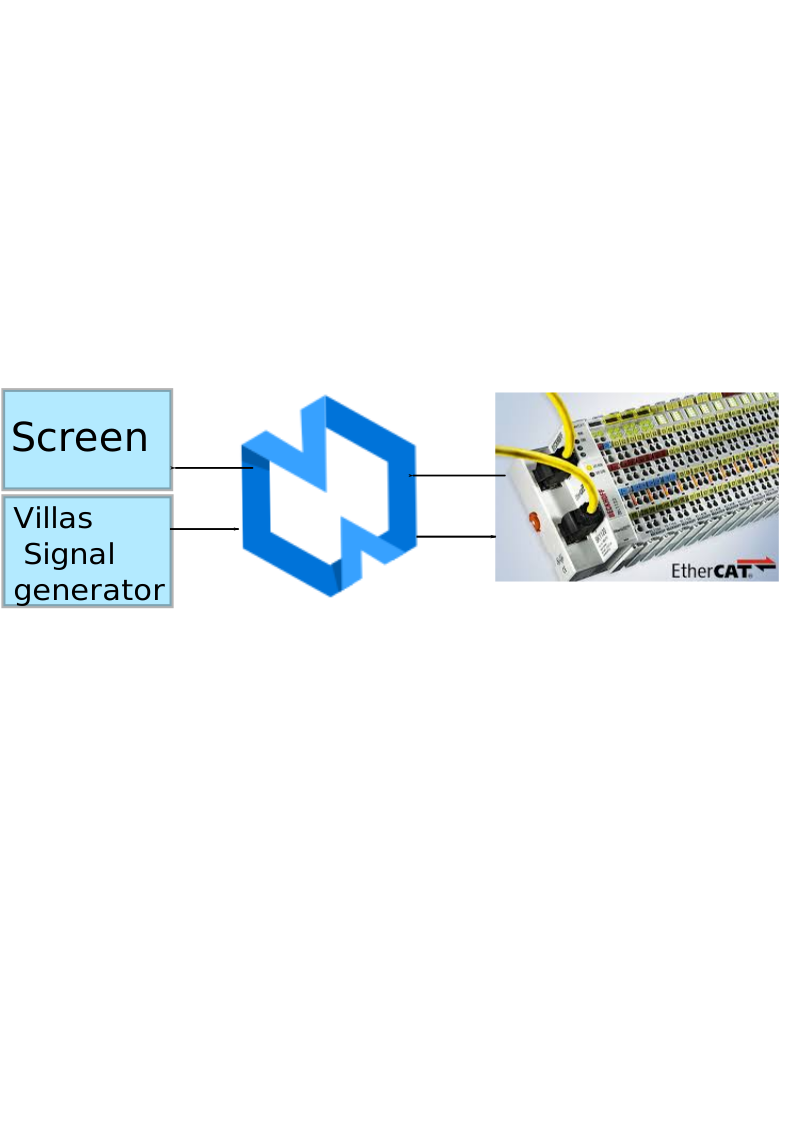
The villas pipe tool can be used to send and receive sample to / from a node.
# send 10 values to udp_node1
villas signal -v 3 -r 10 -l 10 mixed | villas pipe lab15.conf ethercat_node